AI Skills Pack
Design beyond the surface.
Whether you're directing your AI or working alongside it, Layers walks you both through all seven layers of product design — so the decisions underneath the screen actually get made.
Install in Claude Code, Cursor, Codex & more
npx skills add jamiemill/layers-skills
Install once with the skills package, then run any /layers-* skill
in your AI tool.
- Claude Code
- Cursor
- OpenAI Codex
- pi.dev
- + 50 more
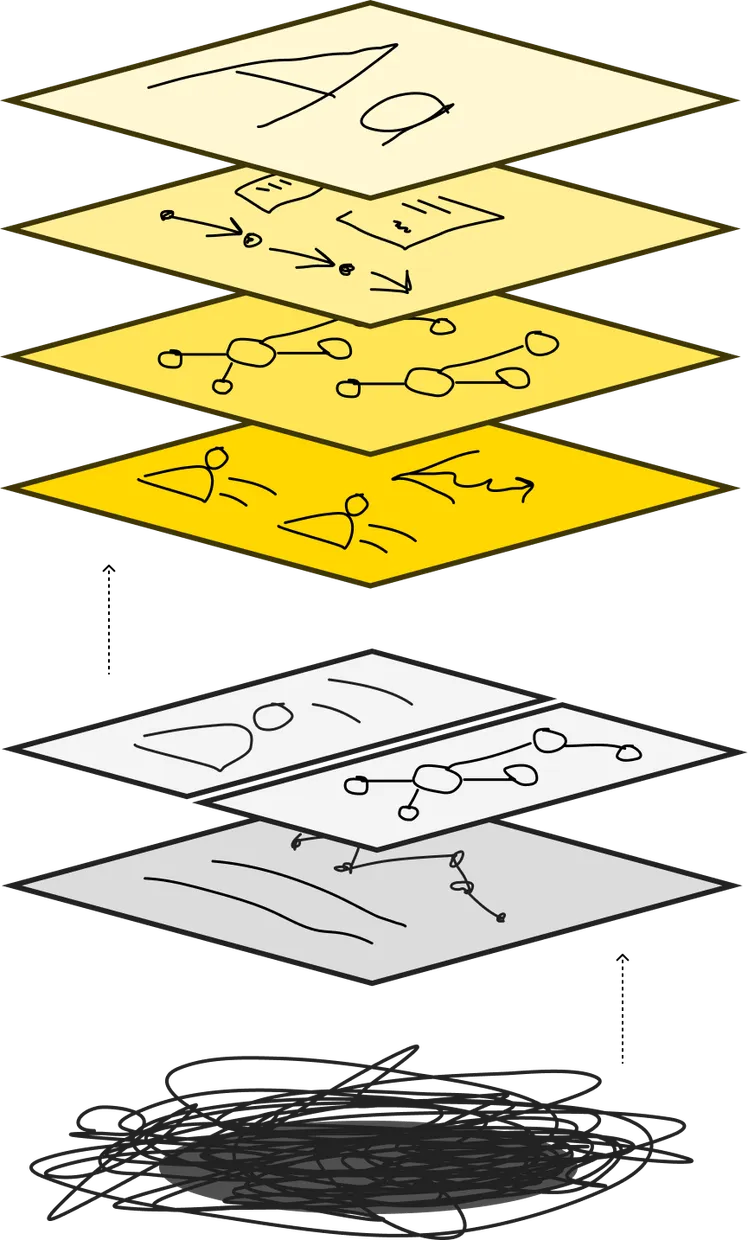
The framework
Seven layers, three zones
Most product design decisions live at one of seven layers. It's easy — for humans and for AI — to stay near the surface; plausible screens come quickly, and the decisions underneath them go unmade. Layers gives you a way to navigate down, find which layer the real problem lives at, and run the skill that thinks with you there.
Not sure where to start? Run /layers-orient — it audits all seven layers and tells you which one is your bottleneck.
In practice
What you'd actually say
These are the kinds of prompts the Layers skills are built to handle. Drop one into your AI tool — the skill takes it from there.
Start broad
When you don't yet know which layer the problem lives at.
-
I've been asked to redesign onboarding — use the Layers skills to help me think it through properly.
-
Help me figure out why my team can't agree on how to design this feature. Use Layers to surface what we're actually disagreeing about.
-
I'm stuck on this design and I don't know what's wrong. Use Layers to diagnose where the real problem is.
-
Audit my mockups with the Layers skills — what decisions am I assuming, and which ones haven't actually been made?
Or go straight to a layer
When you know which decisions you need to make.
-
I've got 12 user interviews. Run
/layers-user-needsand turn them into prioritised job stories. -
Help me model the objects, relationships, and vocabulary for this scheduling tool with
/layers-conceptual-model. -
Run
/layers-interaction-flowfor this checkout — surface the edge cases and empty states I'm missing. -
My team can't agree on terminology across product, design, and engineering. Use
/layers-domainto map the conflicts.
What you get back
Decisions, not screens.
Skills capture design decisions as markdown and mermaid — job stories, strategy trees, object maps, breadboards, decision inventories. Plain text, readable by humans, by AI, and by every other tool you use.
Need decisions to live in Linear, Notion, Figma, or GitHub instead? Connect an MCP and the skill writes there directly.
/layers-product-strategy Strategy tree
graph TD
    O["Outcome: increase weekly active use"]
    O --> Op1["Opp — first run: 'I can't tell yet<br/>if this is worth setting up'"]
    O --> Op2["Opp — first task: 'doing this by hand<br/>is faster than learning the tool'"]
    Op1 --> B1["Bet: show value before signup"]
    Op2 --> B2["Bet: pre-filled defaults"]
Prioritised bet: show value before signup.
- Risk: cold visitors may not engage enough to surface real value.
- Validation: cohort A/B on signup conversion + qualitative session review.
- Linked needs:
#user-needs/onboarding-momentum
## Strategy tree

```mermaid
graph TD
    O["Outcome: increase weekly active use"]
    O --> Op1["Opp — first run: 'I can't tell yet<br/>if this is worth setting up'"]
    O --> Op2["Opp — first task: 'doing this by hand<br/>is faster than learning the tool'"]
    Op1 --> B1["Bet: show value before signup"]
    Op2 --> B2["Bet: pre-filled defaults"]
```

**Prioritised bet:** show value before signup.

- *Risk:* cold visitors may not engage enough to surface real value.
- *Validation:* cohort A/B on signup conversion + qualitative session review.
- *Linked needs:* `#user-needs/onboarding-momentum`